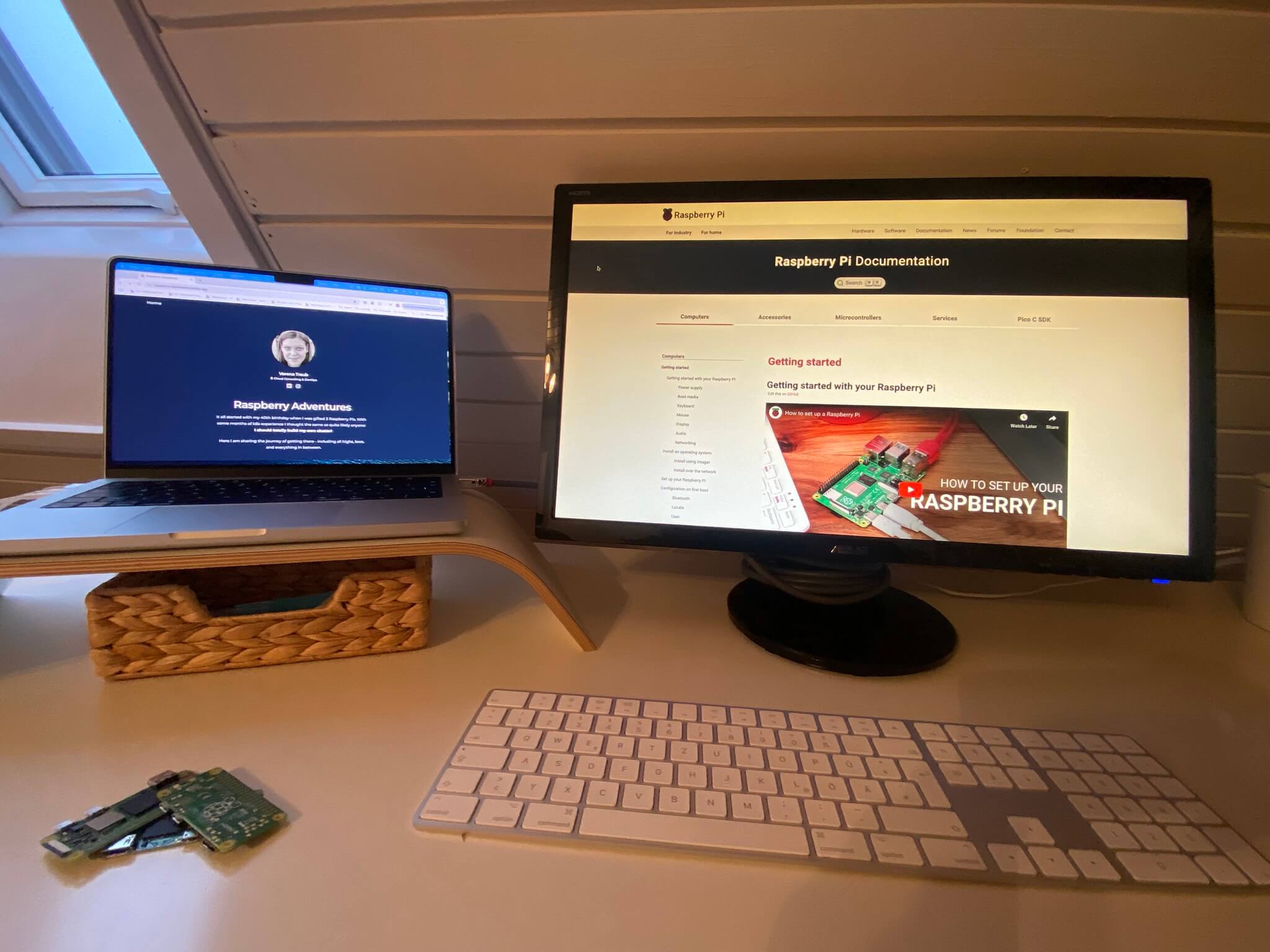
Raspberry Adventures - what has happened so far
Building a Raspberry Pi Kubernetes cluster sounds like a straightforward engineering project, right? Well, it definitively is, but as a career changer, it’s also a lot about enjoying a healthy dose of chaos, unexpected hardware challenges, and more than a few “face-palm” moments along the way.
For me it all started with a birthday gift: three shiny Raspberry Pis I wanted to use for building a Kubernetes cluster - and talk about it on conferences :)
Over the past several months, I’ve been documenting this journey on a separate Blog . This article here is just a rough overview of the journey - I didn’t want to copy-paste the entire content. If you want to dig deeper - feel free to visit my Pi Blog :)
The Setup: Pis, Confusion & Strategic Cheating
As mentioned already - it all started with a gift - three (at that point pretty random) Raspberry Pis that a good friend handed me. Without a power supply or the right cables, I had no idea what I was actually dealing with. After getting overwhelmed by conflicting information online, I made the only sensible decision available to me: cheat.
I ordered a proper starter kit with a Raspberry Pi 4 and all the necessary equipment. Sometimes admitting defeat and just getting the right tools to get started is the fastest path to success. 😇
Installing the OS & First Steps
Once the hardware actually arrived (that was exciting!), the first task was straightforward: get Raspberry Pi OS on some SD cards. Using the Raspberry Pi Imager , I:
- Enabled WiFi and SSH so I wouldn’t need a monitor
- Set up unique hostnames for each device
- Ran the obligatory
apt update && apt upgrade
Simple, right? Right. But then things got more interesting.
Building the Cluster
With three Raspberry Pi Zero 2s and one Pi 4, I had the hardware for an actual cluster. The Pi 4 would be the control plane, while the Zeros would act as workers. But before bringing Kubernetes into the equation, I had to prepare the Pis properly:
- Disable swap (k3s doesn’t play nice with it)
- Set up static hostnames for each device
- Configure networking properly
- Sort out cgroup configurations
The networking situation, in particular, was… let’s call it “educational”. It even got more fun when changing the OS from Bookworm to Debian Trixie, which led to quite some debugging adventures.
The Over-engineering Phase: Deploying the Blog
Here’s where it gets ridiculous in the best way possible. Rather than deploying a standard nginx demo or hello-world app, I decided to deploy my Raspberry Adventures blog on my Pi cluster. No practical reason, just vibes. 😄
This involved:
- Building a Docker image
- Creating Kubernetes manifests - deployment, service, and ingress files
- Managing kubeconfig from my laptop so I could use k9s to monitor everything
- Debugging Traefik networking issues and learning why hostNetwork mode matters
Spoiler: Getting your own blog running on Kubernetes is cool, even if it’s completely unnecessary.
Networking: From WiFi to Wired
Running a cluster over WiFi is… not ideal, especially when you’re planning to present it at a conference. So I upgraded the setup with:
- Ethernet cables for all devices
- A network switch
- Proper wired networking
This was supposed to be simple. It wasn’t - at least not the first time around. But eventually, the cluster settled into a stable wired setup with the Control Plane acting as NAT-Gateway.
Taking the Cluster on the Road: Conference Adventures
After all this work, the cluster was ready for its public debut! I’ve now presented this project at three different conferences, and each time was its own adventure. What remained consistent across all of them? WiFi at conferences never worked with the cluster’s configuration.
This taught me: While everything works great at home with wired networking, relying on conference WiFi is unreliable. So I ordered a router for the cluster to create its own stable network, which also opens up new possibilities for more fun demos.
Speaking of which, for one of the conferences, I wanted to push things further and actually run Doom as part of the presentation. Sounds cool, right? Well, it turned out to be quite the experiment. The good news: FreeDoom (the community version) runs perfectly fine on it. The bad news: The actual Doom executable doesn’t cooperate. This would likely be much easier without a headless setup, so getting a display working on the Pi is my next adventure :)
Lessons Learned
After all this, here’s what I’ve learned:
- Cheating is sometimes the right strategy - Don’t drown in research paralysis. Get the right tools and start.
- Kubernetes is opinionated - k3s, cgroups, and system configurations need to align. When they don’t, prepare for debugging.
- Network stability matters - WiFi might work for initial experiments, but a wired cluster is worth the effort.
- Portability challenges are real - Conference networks have their quirks. Looks like a self-contained networking solution (like a router) is essential for on-the-road deployments.
The Full Story
If you want all details, head over to the full Raspberry Adventures blog series where I document every step, every mistake, and every “wait, that actually worked?” moment.
Each article dives deeper into:
- Setting up individual Pis with the right OS
- Configuring the cluster for k3s
- Deploying applications and managing them with Kubernetes
- Troubleshooting network and other issues
- Running the blog itself on the cluster
Whether you’re planning your own Pi cluster, or just enjoy watching someone figure things out in real-time, there’s something in there for you.
Interested in the slides? Then just check out the summary of my talk .