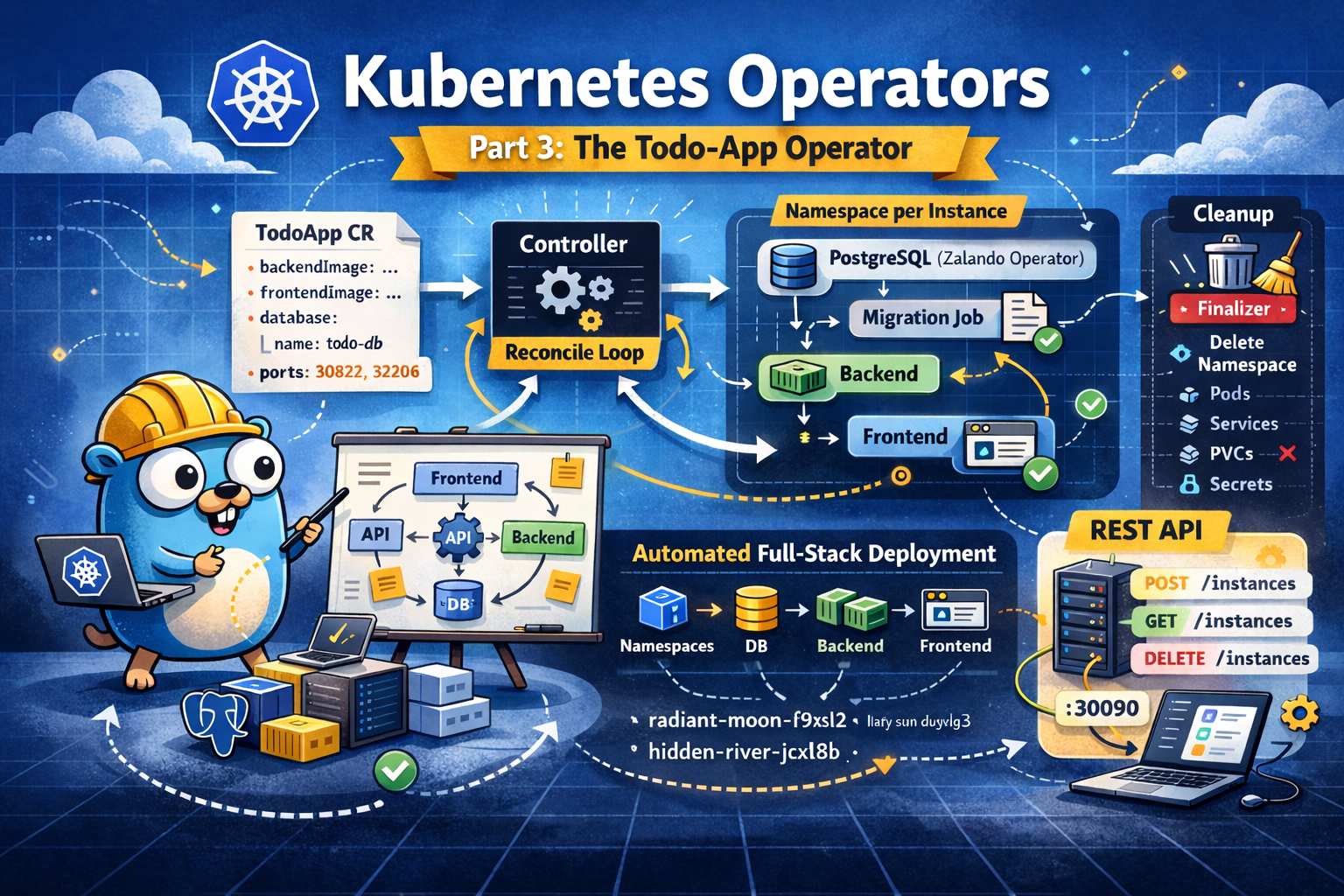
Kubernetes Operators Part 3: ToDo-App
After building an operator for a very basic hello world application, we now get a bit more complex and use the queen of demo apps - a To-Do app I built for a workshop 😇 The app consists of three parts: a backend to handle the logic, a frontend to display the To-Dos, and a PostgreSQL database to store them. The database will also need to be prepared with the correct tables as well as some example content, which means: We need a bit more logic within our operator. Let the fun begin :)
In case you want to follow along, you should have the following prepared:
- cluster with postgres operator deployed
- kubebuilder installed on your machine
Project Bootstrapping
Again, we start our new project by initializing kubebuilder
kubebuilder init --domain todo-app.local --repo todo-app
followed by building a basic API with
kubebuilder create api \
  --group apps \
  --version v1alpha1 \
  --kind TodoApp \
  --resource \
  --controller
Defining the Custom Resource
The first thing we need to do is update the type definition of our created API to reflect what our To-Do App needs. We’ll modify the TodoAppSpec struct in our todoapp_types.go file in the api directory as follows:
type TodoAppSpec struct {
    // +kubebuilder:default="vtrhh/todo-app-backend:latest"
    BackendImage  string `json:"backendImage,omitempty"`
    // +kubebuilder:default="vtrhh/todo-app-frontend:latest"
    FrontendImage string `json:"frontendImage,omitempty"`

    // +kubebuilder:default="pg"
    DbHost              string        `json:"dbHost,omitempty"`

    // +kubebuilder:default="postgres"
    DbUser              string        `json:"dbUser,omitempty"`

    // +kubebuilder:default="todos"
    DbName              string        `json:"dbName,omitempty"`
    DbPasswordSecretRef *SecretKeyRef `json:"dbPasswordSecretRef,omitempty"`

    ApiUrl           string `json:"apiUrl,omitempty"`
    BackendNodePort  *int32 `json:"backendNodePort,omitempty"`
    FrontendNodePort *int32 `json:"frontendNodePort,omitempty"`
}
A few words about Kubebuilder Markers
In the code snippet above and in other lines of our todoapp_types.go file you’ll notice comments that start with // +kubebuilder:.
These are not regular comments. They are markers, so instructions for a code generation tool called controller-gen. When you run make manifests, the tool reads these markers and generates the CRD YAML file that gets applied to Kubernetes.
Keeping Passwords Out of the Spec
The Postgres operator we are using automatically creates a Kubernetes Secret with a predictable name when it spins up a cluster. Our operator hence needs to read that secret and inject its value as an environment variable into the app containers - without the password ever appearing in the TodoApp CR.
So, our database spec does not contain a string value, but a dbPasswordSecretRef referencing where the password lives. To have this work, we of course also have to add a type for this:
type SecretKeyRef struct {
    Name string `json:"name"`
    Key  string `json:"key"`
}
Reconciliation Logic
The controller’s Reconcile function calls a series of helper functions, each responsible for one Kubernetes resource:
func (r *TodoAppReconciler) Reconcile(ctx context.Context, req ctrl.Request) (ctrl.Result, error) {
    app := &appsv1alpha1.TodoApp{}
    if err := r.Get(ctx, req.NamespacedName, app); err != nil {
        return ctrl.Result{}, client.IgnoreNotFound(err)
    }

    r.reconcilePostgresCluster(ctx, app)   // starts the Postgres Database
    r.reconcileDbInitConfigMap(ctx, app)   // stores our DB init script
    r.reconcileDbInitJob(ctx, app)         // runs the script once
    r.reconcileBackendDeployment(ctx, app) // starts the backend pods
    r.reconcileBackendService(ctx, app)    // exposes the backend
    r.reconcileFrontendConfigMap(ctx, app) // injects the API URL
    r.reconcileFrontendDeployment(ctx, app)// starts the frontend pods
    r.reconcileFrontendService(ctx, app)   // exposes the frontend
    r.updateStatus(ctx, app, ...)          // reports back what was done

    return ctrl.Result{}, nil
}
Let’s look at each of them.
Database setup
The postgres operator creates the PostgreSQL cluster, but not the application database or the todos table inside. We want a Kubernetes Job to handle this. The SQL script is stored in a ConfigMap which gets then mounted by the job. As you can see - a set of different steps is involved here. So let’s start step by step:
Create the Database
func (r *TodoAppReconciler) reconcilePostgresCluster(ctx context.Context, app *appsv1alpha1.TodoApp) (bool, error) {
	cluster := &unstructured.Unstructured{}
	cluster.SetGroupVersionKind(schema.GroupVersionKind{
		Group:   "acid.zalan.do",
		Version: "v1",
		Kind:    "postgresql",
	})
	cluster.SetName(app.Spec.DbHost)
	cluster.SetNamespace(app.Namespace)

	_, err := controllerutil.CreateOrUpdate(ctx, r.Client, cluster, func() error {
		cluster.Object["spec"] = map[string]interface{}{
			"teamId":            "todo",
			"numberOfInstances": int64(1),
			"volume": map[string]interface{}{
				"size": "1Gi",
			},
			"users": map[string]interface{}{
				app.Spec.DbUser: []interface{}{"superuser", "createdb"},
			},
			"databases": map[string]interface{}{
				app.Spec.DbName: app.Spec.DbUser,
			},
			"postgresql": map[string]interface{}{
				"version": "16",
			},
		}
		return controllerutil.SetControllerReference(app, cluster, r.Scheme)
	})
	if err != nil {
		return false, err
	}

	status, _, _ := unstructured.NestedString(cluster.Object, "status", "PostgresClusterStatus")
	return status == "Running", nil
}
Create the ConfigMap
func (r *TodoAppReconciler) reconcileDbInitConfigMap(ctx context.Context, app *appsv1alpha1.TodoApp) error {
	cm := &corev1.ConfigMap{
		ObjectMeta: metav1.ObjectMeta{
			Name:      app.Name + "-db-init",
			Namespace: app.Namespace,
		},
	}
	_, err := controllerutil.CreateOrUpdate(ctx, r.Client, cm, func() error {
		cm.Data = map[string]string{"init.sh": dbInitScript}
		return controllerutil.SetControllerReference(app, cm, r.Scheme)
	})
	return err
}
Write the logic for the init job
func (r *TodoAppReconciler) reconcileDbInitJob(ctx context.Context, app *appsv1alpha1.TodoApp) error {
	job := &batchv1.Job{}
	jobName := app.Name + "-db-init"
	err := r.Get(ctx, client.ObjectKey{Name: jobName, Namespace: app.Namespace}, job)
	if err != nil && !apierrors.IsNotFound(err) {
		return err
	}
	if err == nil {
		if job.Status.Succeeded > 0 {
			return nil
		}
		if job.Spec.BackoffLimit != nil && job.Status.Failed > *job.Spec.BackoffLimit {
			propagation := metav1.DeletePropagationBackground
			if delErr := r.Delete(ctx, job, &client.DeleteOptions{
				PropagationPolicy: &propagation,
			}); delErr != nil {
				return delErr
			}
		} else {
			return nil
		}
	}

	ttl := int32(300)
	backoffLimit := int32(3)
	defaultMode := int32(0o755)

	job = &batchv1.Job{
		ObjectMeta: metav1.ObjectMeta{
			Name:      jobName,
			Namespace: app.Namespace,
		},
		Spec: batchv1.JobSpec{
			TTLSecondsAfterFinished: &ttl,
			BackoffLimit:            &backoffLimit,
			Template: corev1.PodTemplateSpec{
				Spec: corev1.PodSpec{
					RestartPolicy: corev1.RestartPolicyOnFailure,
					Containers: []corev1.Container{
						{
							Name:    "db-init",
							Image:   "postgres:16-alpine",
							Command: []string{"/bin/sh", "/scripts/init.sh"},
							Env:     r.dbEnvVars(app),
							VolumeMounts: []corev1.VolumeMount{
								{Name: "scripts", MountPath: "/scripts"},
							},
						},
					},
					Volumes: []corev1.Volume{
						{
							Name: "scripts",
							VolumeSource: corev1.VolumeSource{
								ConfigMap: &corev1.ConfigMapVolumeSource{
									LocalObjectReference: corev1.LocalObjectReference{
										Name: app.Name + "-db-init",
									},
									DefaultMode: &defaultMode,
								},
							},
						},
					},
				},
			},
		},
	}
	if err := controllerutil.SetControllerReference(app, job, r.Scheme); err != nil {
		return err
	}
	return r.Create(ctx, job)
}
In the container spec, we can also see a reference to the function dbEnvVars, which is responsible for passing the correct env vars needed for the connectivity of the database:
func (r *TodoAppReconciler) dbEnvVars(app *appsv1alpha1.TodoApp) []corev1.EnvVar {
	envVars := []corev1.EnvVar{
		{Name: "DB_HOST", Value: app.Spec.DbHost},
		{Name: "DB_USER", Value: app.Spec.DbUser},
		{Name: "DB_NAME", Value: app.Spec.DbName},
		{Name: "PGHOST", Value: app.Spec.DbHost},
		{Name: "PGUSER", Value: app.Spec.DbUser},
		{Name: "PGDATABASE", Value: app.Spec.DbName},
	}
	if app.Spec.DbPasswordSecretRef != nil {
		ref := &corev1.SecretKeySelector{
			LocalObjectReference: corev1.LocalObjectReference{Name: app.Spec.DbPasswordSecretRef.Name},
			Key:                  app.Spec.DbPasswordSecretRef.Key,
		}
		envVars = append(envVars,
			corev1.EnvVar{Name: "DB_PASSWORD", ValueFrom: &corev1.EnvVarSource{SecretKeyRef: ref}},
			corev1.EnvVar{Name: "PGPASSWORD", ValueFrom: &corev1.EnvVarSource{SecretKeyRef: ref}},
		)
	}
	return envVars
}
Deployments for Frontend and Backend
Now that we have our Database set up, we can start deploying the application containers 🎉
Backend
func (r *TodoAppReconciler) reconcileBackendDeployment(ctx context.Context, app *appsv1alpha1.TodoApp) error {
	replicas := int32(1)
	deploy := &appsv1.Deployment{
		ObjectMeta: metav1.ObjectMeta{
			Name:      app.Name + "-backend",
			Namespace: app.Namespace,
		},
	}
	_, err := controllerutil.CreateOrUpdate(ctx, r.Client, deploy, func() error {
		labels := map[string]string{"app": app.Name + "-backend"}
		deploy.Spec = appsv1.DeploymentSpec{
			Replicas: &replicas,
			Selector: &metav1.LabelSelector{MatchLabels: labels},
			Template: corev1.PodTemplateSpec{
				ObjectMeta: metav1.ObjectMeta{Labels: labels},
				Spec: corev1.PodSpec{
					Containers: []corev1.Container{
						{
							Name:  "backend",
							Image: app.Spec.BackendImage,
							Ports: []corev1.ContainerPort{
								{ContainerPort: 3004, Protocol: corev1.ProtocolTCP},
							},
							Env: r.dbEnvVars(app),
						},
					},
				},
			},
		}
		return controllerutil.SetControllerReference(app, deploy, r.Scheme)
	})
	return err
}
Frontend
In the frontend, we have to get a bit creative 😇 The Next.js frontend needs to know the URL of the backend API. But this URL is only known at deploy time (it depends on which port Kubernetes assigns - more about this later). The app handles this with a config.js file loaded by the browser:
window.RUNTIME_CONFIG = {
  API_URL: "%%API_URL%%",
};
Hence, the controller’s code looks like this:
func (r *TodoAppReconciler) reconcileFrontendDeployment(ctx context.Context, app *appsv1alpha1.TodoApp) error {
	replicas := int32(1)
	labels := map[string]string{"app": app.Name + "-frontend"}
	deploy := &appsv1.Deployment{
		ObjectMeta: metav1.ObjectMeta{Name: app.Name + "-frontend", Namespace: app.Namespace},
	}
	_, err := controllerutil.CreateOrUpdate(ctx, r.Client, deploy, func() error {
		deploy.Spec.Replicas = &replicas
		deploy.Spec.Selector = &metav1.LabelSelector{MatchLabels: labels}
		deploy.Spec.Template = corev1.PodTemplateSpec{
			ObjectMeta: metav1.ObjectMeta{Labels: labels},
			Spec: corev1.PodSpec{
				Containers: []corev1.Container{
					{
						Name:            "frontend",
						Image:           app.Spec.FrontendImage,
						ImagePullPolicy: corev1.PullAlways,
						Ports:           []corev1.ContainerPort{{Name: "http", ContainerPort: 3000, Protocol: corev1.ProtocolTCP}},
						Env:             []corev1.EnvVar{{Name: "NEXT_PUBLIC_API_URL", Value: app.Spec.ApiUrl}},
					},
				},
			},
		}
		return controllerutil.SetControllerReference(app, deploy, r.Scheme)
	})
	return err
}
Exposing the App
To reach the app from a browser without setting up an ingress controller, we for now use NodePorts for exposing our apps. Given we want to be able to have several instances in one cluster, we want to work with optional port assignments and preserve what Kubernetes gives us automatically.
The solution has two parts to consider: Make the ports optional in the spec and preserve the assigned ports on every subsequent reconciliation. This results in the following reconciliation logic:
Backend
func (r *TodoAppReconciler) reconcileBackendService(ctx context.Context, app *appsv1alpha1.TodoApp) (int32, error) {
	svc := &corev1.Service{
		ObjectMeta: metav1.ObjectMeta{
			Name:      app.Name + "-backend",
			Namespace: app.Namespace,
		},
	}
	_, err := controllerutil.CreateOrUpdate(ctx, r.Client, svc, func() error {
		svc.Spec.Type = corev1.ServiceTypeNodePort
		svc.Spec.Selector = map[string]string{"app": app.Name + "-backend"}
		var nodePort int32
		if app.Spec.BackendNodePort != nil {
			nodePort = *app.Spec.BackendNodePort
		} else if len(svc.Spec.Ports) > 0 {
			nodePort = svc.Spec.Ports[0].NodePort // preserve existing assignment
		}
		svc.Spec.Ports = []corev1.ServicePort{
			{
				Port:       3004,
				TargetPort: intstr.FromInt32(3004),
				NodePort:   nodePort,
				Protocol:   corev1.ProtocolTCP,
			},
		}
		return controllerutil.SetControllerReference(app, svc, r.Scheme)
	})
	if err != nil {
		return 0, err
	}
	if len(svc.Spec.Ports) > 0 {
		return svc.Spec.Ports[0].NodePort, nil
	}
	return 0, nil
}
Frontend
func (r *TodoAppReconciler) reconcileFrontendService(ctx context.Context, app *appsv1alpha1.TodoApp) (int32, error) {
	svc := &corev1.Service{
		ObjectMeta: metav1.ObjectMeta{
			Name:      app.Name + "-frontend",
			Namespace: app.Namespace,
		},
	}
	_, err := controllerutil.CreateOrUpdate(ctx, r.Client, svc, func() error {
		svc.Spec.Type = corev1.ServiceTypeNodePort
		svc.Spec.Selector = map[string]string{"app": app.Name + "-frontend"}
		var nodePort int32
		if app.Spec.FrontendNodePort != nil {
			nodePort = *app.Spec.FrontendNodePort
		} else if len(svc.Spec.Ports) > 0 {
			nodePort = svc.Spec.Ports[0].NodePort // preserve existing assignment
		}
		svc.Spec.Ports = []corev1.ServicePort{
			{
				Port:       80,
				TargetPort: intstr.FromInt32(3000),
				NodePort:   nodePort,
				Protocol:   corev1.ProtocolTCP,
			},
		}
		return controllerutil.SetControllerReference(app, svc, r.Scheme)
	})
	if err != nil {
		return 0, err
	}
	if len(svc.Spec.Ports) > 0 {
		return svc.Spec.Ports[0].NodePort, nil
	}
	return 0, nil
}
We also need to ensure to adapt our TodoAppSpec Type to
	// +optional
	// +kubebuilder:validation:Minimum=30000
	// +kubebuilder:validation:Maximum=32767
	BackendNodePort *int32 `json:"backendNodePort,omitempty"`

	// +optional
	// +kubebuilder:validation:Minimum=30000
	// +kubebuilder:validation:Maximum=32767
	FrontendNodePort *int32 `json:"frontendNodePort,omitempty"`
Writing the Port Back to Status
After the service is created or updated, we know its actual port. To make things easier, we also want to write it to the TodoApp’s status with:
type TodoAppStatus struct {
    Conditions       []metav1.Condition `json:"conditions,omitempty"`
    BackendNodePort  int32              `json:"backendNodePort,omitempty"`
    FrontendNodePort int32              `json:"frontendNodePort,omitempty"`
}
With some extra markers that tell the CRD generator to show these as columns:
// +kubebuilder:printcolumn:name="Frontend",type=integer,JSONPath=".status.frontendNodePort"
// +kubebuilder:printcolumn:name="Backend",type=integer,JSONPath=".status.backendNodePort"
// +kubebuilder:printcolumn:name="Available",type=string,JSONPath=".status.conditions[?(@.type=='Available')].status"
And of course we also have to update our controller:
func (r *TodoAppReconciler) updateStatus(ctx context.Context, app *appsv1alpha1.TodoApp, backendNodePort, frontendNodePort int32) error {
	current := &appsv1alpha1.TodoApp{}
	if err := r.Get(ctx, client.ObjectKeyFromObject(app), current); err != nil {
		return err
	}

	newCondition := metav1.Condition{
		Type:               "Available",
		Status:             metav1.ConditionTrue,
		Reason:             "ResourcesReconciled",
		Message:            "All TodoApp resources have been reconciled",
		ObservedGeneration: current.Generation,
		LastTransitionTime: metav1.Now(),
	}

	conditionUnchanged := false
	for _, c := range current.Status.Conditions {
		if c.Type == "Available" && c.Status == metav1.ConditionTrue {
			conditionUnchanged = true
			break
		}
	}
	if conditionUnchanged &&
		current.Status.BackendNodePort == backendNodePort &&
		current.Status.FrontendNodePort == frontendNodePort {
		return nil
	}

	updated := false
	for i, c := range current.Status.Conditions {
		if c.Type == "Available" {
			current.Status.Conditions[i] = newCondition
			updated = true
			break
		}
	}
	if !updated {
		current.Status.Conditions = append(current.Status.Conditions, newCondition)
	}
	current.Status.BackendNodePort = backendNodePort
	current.Status.FrontendNodePort = frontendNodePort

	return r.Status().Update(ctx, current)
}
kubectl get todoapp now shows a useful summary table:

RBAC
There is one last piece we need to add - permissions ;) The controller runs as a ServiceAccount in the cluster, and that ServiceAccount needs explicit permission for every resource type it wants to touch.
we hence also need to add the following to have the proper permissions:
// +kubebuilder:rbac:groups=apps.todo-app.local,resources=todoapps,verbs=get;list;watch;create;update;patch;delete
// +kubebuilder:rbac:groups=apps.todo-app.local,resources=todoapps/status,verbs=get;update;patch
// +kubebuilder:rbac:groups=apps.todo-app.local,resources=todoapps/finalizers,verbs=update
// +kubebuilder:rbac:groups=apps,resources=deployments,verbs=get;list;watch;create;update;patch;delete
// +kubebuilder:rbac:groups=batch,resources=jobs,verbs=get;list;watch;create;update;patch;delete
// +kubebuilder:rbac:groups="",resources=configmaps,verbs=get;list;watch;create;update;patch;delete
// +kubebuilder:rbac:groups="",resources=services,verbs=get;list;watch;create;update;patch;delete
// +kubebuilder:rbac:groups=acid.zalan.do,resources=postgresqls,verbs=get;list;watch;create;update;patch;delete
With running
make manifests
we can finally update the different manifests of our operator.
Deploying our operator to the cluster
Like last time, we want to have our operator running within the cluster - and again we can use the following:
docker build -t todo-app-operator:latest .
make deploy IMG=todo-app-operator:latest
When running
kubectl apply -f config/samples/apps_v1alpha1_todoapp.yaml
to deploy the following YAML file for a sample application
apiVersion: apps.todo-app.local/v1alpha1
kind: TodoApp
metadata:
  labels:
    app.kubernetes.io/name: todo-app
    app.kubernetes.io/managed-by: kustomize
  name: todoapp-sample
spec:
  backendImage: vtrhh/todo-app-backend:latest
  frontendImage: vtrhh/todo-app-frontend:latest
  dbHost: pg
  dbUser: postgres
  dbName: todos
  dbPasswordSecretRef:
    name: postgres.pg.credentials.postgresql.acid.zalan.do
    key: password
  backendNodePort: 30304
  frontendNodePort: 30300
  apiUrl: "http://localhost:30304"
And there we go - we have a new ToDo app with all other components required to have it run successfully in our cluster. 🎉
Summing up
So we now have an app with a bit more complexity which gets deployed by an operator. Again, we could build on top of it, but the end goal of this series is another one - build an operator for a very specific application our client needs. Hence: Off to new adventures and a new operator :) Stay tuned for part 4!
header image created by buddy ChatGPT