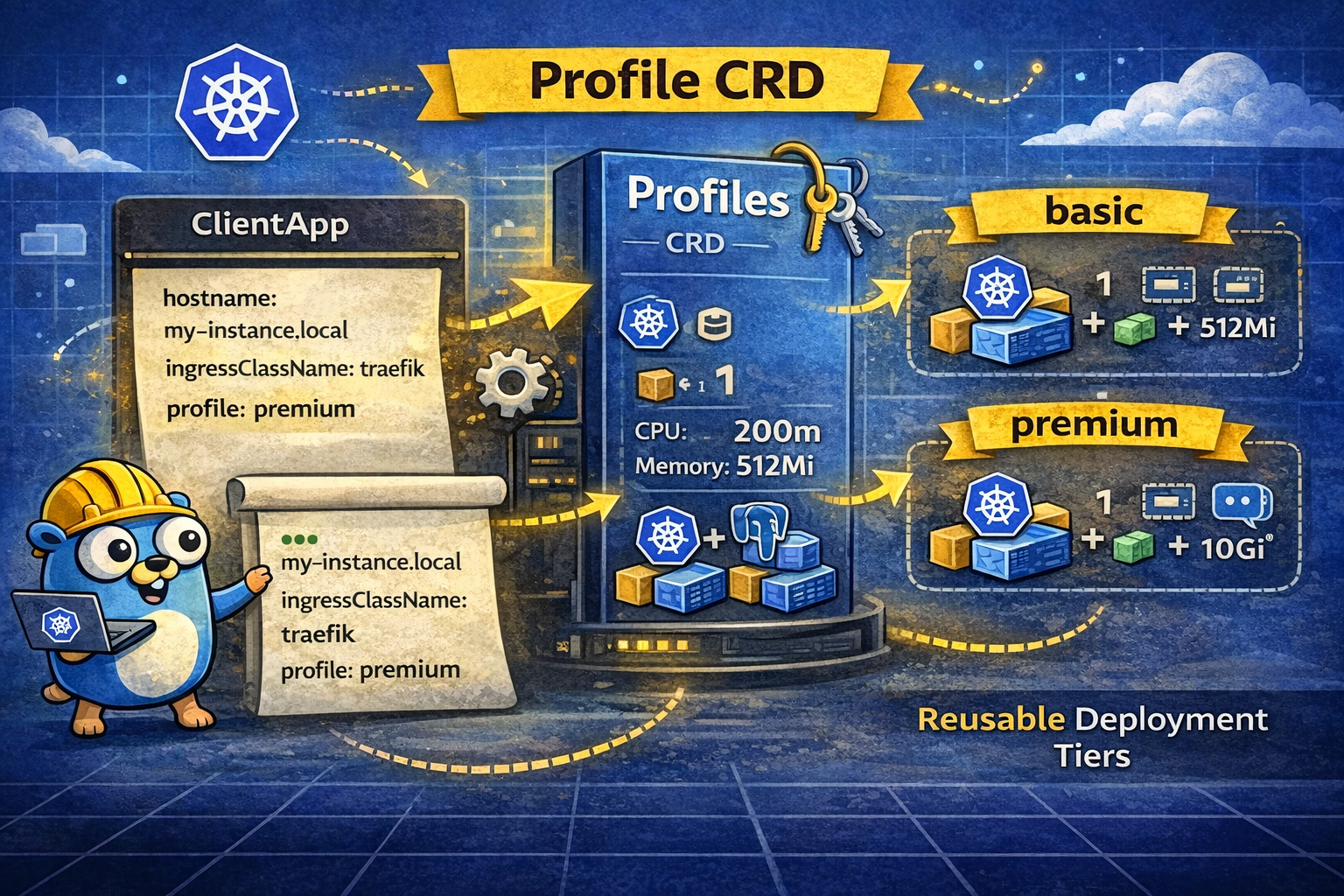
Kubernetes Operators Part 6: Implementing app profiles
We now have an operator that can deploy our custom ClientApp. As mentioned in my previous article, our ClientApp comes in two versions: basic and premium. Each version enables a different set of applications inside the instance itself. That is what we want to implement now.
Because we want the operator to stay reusable and easy to adapt to other use cases, a dedicated CRD is a better fit than hardcoded settings. It gives us a clean way to define reusable behavior and still leave room for chart-specific overrides.
So, the first step is to add a new API:
kubebuilder create api \
  --group apps \
  --version v1alpha1 \
  --kind Profile \
  --resource \
  --controller=false \
Our Profile.spec will contain two layers:
defaults: typed fields mapped by controller logichelm.values: raw passthrough values for advanced chart-level overrides
A simplified example could look like this:
apiVersion: apps.bnerd-operator.local/v1alpha1
kind: Profile
metadata:
  name: premium
spec:
  description: "Premium profile"
  defaults:
    replicaCount: 1
    resources:
      requests:
        cpu: "200m"
        memory: "512Mi"
      limits:
        cpu: "1000m"
        memory: "1024Mi"
    persistence:
      enabled: true
      size: "10Gi"
    apps:
      app1:
        enabled: true
  helm:
    values:
      # any chart-specific values to pass through directly
and our ClientApp can then reference a profile by name:
apiVersion: apps.bnerd-operator.local/v1alpha1
kind: ClientApp
metadata:
  name: my-app
spec:
  profile: premium
  hostname: my-app.example.com
Defining CRD & structs
Let’s get started by defining the Profile CRD and its Go structs:
profile_types.go
type ResourceList struct {
	CPU    string `json:"cpu,omitempty"`
	Memory string `json:"memory,omitempty"`
}

type ResourceConfig struct {
	Requests ResourceList `json:"requests,omitempty"`
	Limits   ResourceList `json:"limits,omitempty"`
}

type ProfileDefaults struct {
	ReplicaCount int32 `json:"replicaCount,omitempty"`
	Resources    *ResourceConfig `json:"resources,omitempty"`
	// ...other fields...
}

type ProfileHelm struct {
	Values *apiextensionsv1.JSON `json:"values,omitempty"`
}

type ProfileSpec struct {
	Description string         `json:"description,omitempty"`
	Defaults    ProfileDefaults `json:"defaults,omitempty"`
	Helm        *ProfileHelm   `json:"helm,omitempty"`
}

type Profile struct {
	metav1.TypeMeta   `json:",inline"`
	metav1.ObjectMeta `json:"metadata,omitempty"`
	Spec   ProfileSpec   `json:"spec"`
	Status ProfileStatus `json:"status,omitempty"`
}
Next, we can update our ClientApp CRD and Go structs to support profiles:
clientapp_types.go
type ClientAppSpec struct {
	// ...other fields...
	Profile      string `json:"profile,omitempty"`
}
Implementing Operator Logic
Now, we can enhance the controller’s Reconcile function to support profiles:
func (r *ClientAppReconciler) Reconcile(ctx context.Context, req ctrl.Request) (ctrl.Result, error) {
	instance := &appsv1alpha1.ClientApp{}
	if err := r.Get(ctx, req.NamespacedName, instance); err != nil {
		return ctrl.Result{}, client.IgnoreNotFound(err)
	}

	var profile *appsv1alpha1.Profile
	if instance.Spec.Profile != "" {
		profile = &appsv1alpha1.Profile{}
		err := r.Get(ctx, types.NamespacedName{Name: instance.Spec.Profile}, profile)
		if err != nil {
			if apierrors.IsNotFound(err) {
				profile = nil
			} else {
				return ctrl.Result{}, fmt.Errorf("get profile %q: %w", instance.Spec.Profile, err)
			}
		}
	}

	values := map[string]interface{}{}
	if profile != nil && profile.Spec.Helm != nil && profile.Spec.Helm.Values != nil {
		if err := json.Unmarshal(profile.Spec.Helm.Values.Raw, &values); err != nil {
			return ctrl.Result{}, fmt.Errorf("unmarshal profile helm values: %w", err)
		}
	}
	if profile != nil {
		applyProfileDefaults(&profile.Spec.Defaults, values)
	}

	values["host"] = instance.Spec.Hostname

	// ...existing reconciliation logic...

	condition := metav1.Condition{
		Type:    "ProfileApplied",
		Status:  metav1.ConditionTrue,
		Reason:  "ProfileApplied",
		Message: "Profile applied successfully",
	}
	if instance.Spec.Profile != "" && profile == nil {
		condition = metav1.Condition{
			Type:    "ProfileApplied",
			Status:  metav1.ConditionFalse,
			Reason:  "ProfileNotFound",
			Message: "Referenced profile was not found; falling back to default values",
		}
	}
	meta.SetStatusCondition(&instance.Status.Conditions, condition)

	// ...persist status if needed...

	return ctrl.Result{}, nil
}
and add a applyProfileDefaults function:
func applyProfileDefaults(d *appsv1alpha1.ProfileDefaults, values map[string]interface{}) {
	if d.ReplicaCount > 0 {
		values["replicaCount"] = d.ReplicaCount
	}
	if d.Resources != nil {
		values["resources"] = map[string]interface{}{
			"requests": map[string]interface{}{
				"cpu": d.Resources.Requests.CPU,
				"memory": d.Resources.Requests.Memory,
			},
			"limits": map[string]interface{}{
				"cpu": d.Resources.Limits.CPU,
				"memory": d.Resources.Limits.Memory,
			},
		}
	}
	// ...other fields...
}
Finally, we also need to add the RBAC marker:
// +kubebuilder:rbac:groups=apps.bnerd-operator.local,resources=profiles,verbs=get;list;watch
Adapt API
As a last step, we update our HTTP API to allow profile selection when creating instances:
type CreateRequest struct {
	// ...other fields...
	Profile      string `json:"profile,omitempty"`
}

func (s *Server) createInstance(w http.ResponseWriter, r *http.Request) {
	instance := &appsv1alpha1.ClientApp{
		ObjectMeta: metav1.ObjectMeta{
			Name: req.Name,
			Namespace: ns,
		},
		Spec: appsv1alpha1.ClientAppSpec{
			Hostname: req.Hostname,
			Profile:  req.Profile,
			// ...other fields...
		},
	}
	// ...create namespace, secret, instance...
}
And there we go - we can now create instances with a profile by running:
curl -X POST http://localhost:8090/instances \
  -H "Content-Type: application/json" \
  -d '{"hostname": "my-app.local", "profile": "premium"}'
All new instances with spec.profile use the Profile CR, while existing app instances keep their previous behavior unless they are updated to reference one.
Summing Up
At this point, our operator can create different ClientApp versions based on reusable profiles.
There is still one last feature we could add to the operator: ClientApp pools. Why? Because the application can take a while to start up. If the operator is connected to an onboarding flow, new users might have to wait too long for their environment to become ready. Not the best user experience. Pools would let us keep a number of pre-provisioned instances available and then assign one to a new client on demand.
That also introduces a bit more complexity, though, because some values, such as the hostname, still need to be updated dynamically. We will look at that in the next article.